At IBC2026 last month, Blackmagic Design unveiled the latest updates to DaVinci Resolve, including support for AI assistants Claude, Claude Code and ChatGPT Codex.
According to the company, the integration enables users to analyse projects, organise media, adjust settings and batch render using everyday conversational language.
TVBEurope sits down with Simon Hall, DaVinci Resolve product lead for EMEA to find out more.
Why the decision to include AI assistants?
DaVinci Resolve has supported API scripting for quite a long time, allowing users to automate tasks through Python or Lua. The challenge was that, to really take advantage of that, you needed a reasonable level of scripting knowledge.
With AI assistants, that process becomes much easier. Rather than having to write and run the scripts yourself, you can describe what you want to do, and the assistant can generate the scripting instructions Resolve needs.
So, it is really about making an existing capability much easier to access, without users needing the same level of scripting knowledge they might have once needed.
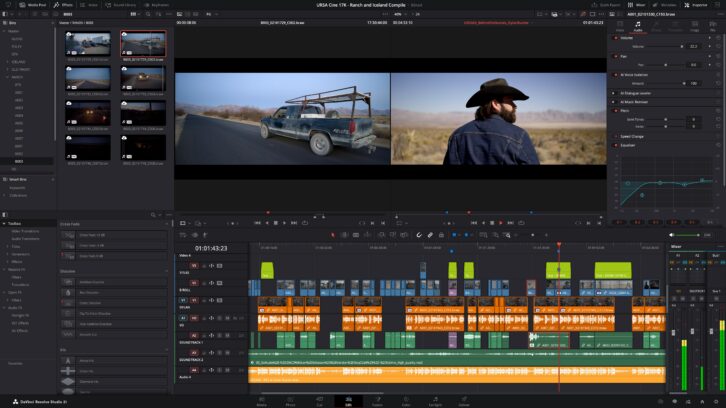
How will they help creatives with their work?
The main opportunity is speeding up repetitive, time-consuming tasks that sit around creative decision-making and craft. Metadata is a good example. Now an AI assistant can fill in fields across a large number of clips, prepare or restructure timelines, change CC input colour spaces across selected media or automate repetitive operations that would otherwise need to be performed clip by clip. It can also help construct Fusion setups from existing tools.
Another useful example is versioning content: you could ask the assistant to duplicate an existing timeline, convert it to a portrait format and create a shorter cut as a starting point. The editor still makes the creative decisions, but much of the preparation work can happen much faster.
Why these AI assistants in particular, and do you expect to support others in the future?
We looked at widely used, well-supported language models that can work reliably with the kinds of scripting and automation tasks people might want to do in DaVinci Resolve. The quality of the result also depends on how clearly you describe what you want, so the more specific the instruction, the more useful the response tends to be.
This is really the first stage of how AI assistants can work with Resolve. For now, we’re using them to help automate tasks through Resolve’s scripting tools, rather than generate the creative work itself. The user is still making those decisions. As the models evolve, we’ll keep looking at which ones make sense to support and where they can genuinely make production and post workflows faster or easier.
What are the other significant updates and why are they important?
A large part of DaVinci Resolve 21.1 is about refining everyday workflows. Many of the changes are quite focused, but for editors, colourists and finishing artists working in Resolve every day, those efficiencies quickly add up.
On the Edit page, there is a more intuitive relationship between the playhead, timeline clips and Inspector controls. There are also improvements to the multicam viewer, along with the ability to export markers as PDFs, which is useful for review and approval workflows.
Blackmagic Cloud Presentations has also been expanded. Subtitle support makes it easier to review dialogue and translated content, while annotation sharing gives collaborators more context when leaving feedback. Users can now reply directly to comments too, which helps keep review conversations together rather than spreading them across email or separate messaging tools. Taken together, those changes make Presentations a more useful part of the review and collaboration process, particularly for teams working across different locations.
There are important finishing updates as well. HDR workflows now support individual multi-master trims for formats including Dolby Vision, HDR10+ and HDR Vivid, giving colourists more control over the different HDR deliverables from a single project.
Fusion also gains an expanded Krokodove toolset, giving motion graphics and VFX artists more options when building complex animation and compositing setups.
Can you tease any plans for DaVinci Resolve 21.2 or 22?
Unfortunately, I can’t give anything away on that front. What I can say is that development never really stops. We are constantly looking at feedback from users and at ways of improving workflows across editing, colour, Fusion, Fairlight and collaboration.
The 21.1 version is a good example of that. There are some larger additions, such as the AI assistant integration, but there are also many smaller improvements that make DaVinci Resolve faster and easier to work with every day. We will share more about future versions when we are ready.